Channel Merger is a small GUI utility written in Python (PySide) that can combines channels from multiple images into a single texture. This process, often called channel packing, is commonly used to store different material maps (such as roughness, metallic, and ambient occlusion) in a single image.
- Language: Python
- Framework: PySide
- Purpose: Channel Packing
- License: MIT
- Source: GitHub
¶ What Does It Do?
Channel Merger simplifies the process of channel packing by being a lightweight GUI that you can throw images into, select which color channels to extract (including Alpha) and export a single image containing only those channels. It's main features are:
- Drag & Drop images or click to load.
- Single value color for things like opacity, translucency maps.
- Save to common formats, PNG, EXR, TIFF,
- Bit Depth auto selection or force export 8-bit, 16-bit or 32-bit images.
- Preview that updates after any changes.
- Upscale or Downscale to largest or smallest loaded channel image.
The app will auto detect a RGB image and pre-populate all 3 channels. It will only do this if all channels are empty. This was a convenience feature but some may find it annoying. I'm trying to find a good middle-ground (maybe a toggle?). Simply overload the other channels with a different image or clear them if you don't wish to use them.
¶ What is Channel Packing?
Channel Packing is a method of saving memory in 3D applications. For convenience 3D Applications usually use a standardised API that assumes a specific number of channels when reserving memory on the GPU. For example I believe Blender Cycles will cast even a single channel image to a 4 channel image on the GPU and so will use the entire memory associated with it. To simplify, your roughness map that contains only gray values uses the same amount of GPU memory as your base color texture (assuming identical resolution).
¶ How does Channel Packing Save Memory?
Channel Packing reduces memory by allowing you to store grayscale material maps in the color channel of another image. If you use transparent PNGs or GIFs you are technically already familiar as the Alpha channel in those images is commonly used for storing the Opacity texture.
For example: If you load a Base Color, Opacity, Roughness, Bump, Normal and Metallic textures you now have 6 images to load, each assumed to be 4 channels. You could instead make Base Color + Opacity, Roughness + Bump + Metallic, and Normal. You now only have 3 images to load, halving your memory use and making better use of the memory that was already being used previously.
You can even remove the blue channel from your normal map (and use vector math to assume it is 1) and store another map in the alpha channel if you have other utility maps (wetness, veins, etc).
¶ Notes + Warnings
This app is a personal project that I have decided to open source. It is provided as is and I make no promises as to its stability or security.
I use LLMs to help with writing some code or helping me with understanding libraries etc. While I am a developer my main language is not Python so LLMs have been extremely helpful in helping me build this application at all given the complexities of OpenCV, PySide and my limited time.
I do provide a pre-built exe and a linux binary, I use the Windows one all the time. I do not use Linux too often outside of servers, but the Linux version seems to work on both Ubuntu and OpenSuse. Both were built with Pyinstaller they may cause AVs to scream. These, as far as I am aware, false positives. You can clone the repo check the code and run via src/main.py if you wish.
Important: This is a personal project and while code quality is important for my work, it is not my priority in this project. As long as it works, has no major bugs and will not cause any major issues I am happy. If you have a problem with that you are free to just not use it.
¶ Screenshots
It is a single window app. It's not super pretty but it works.
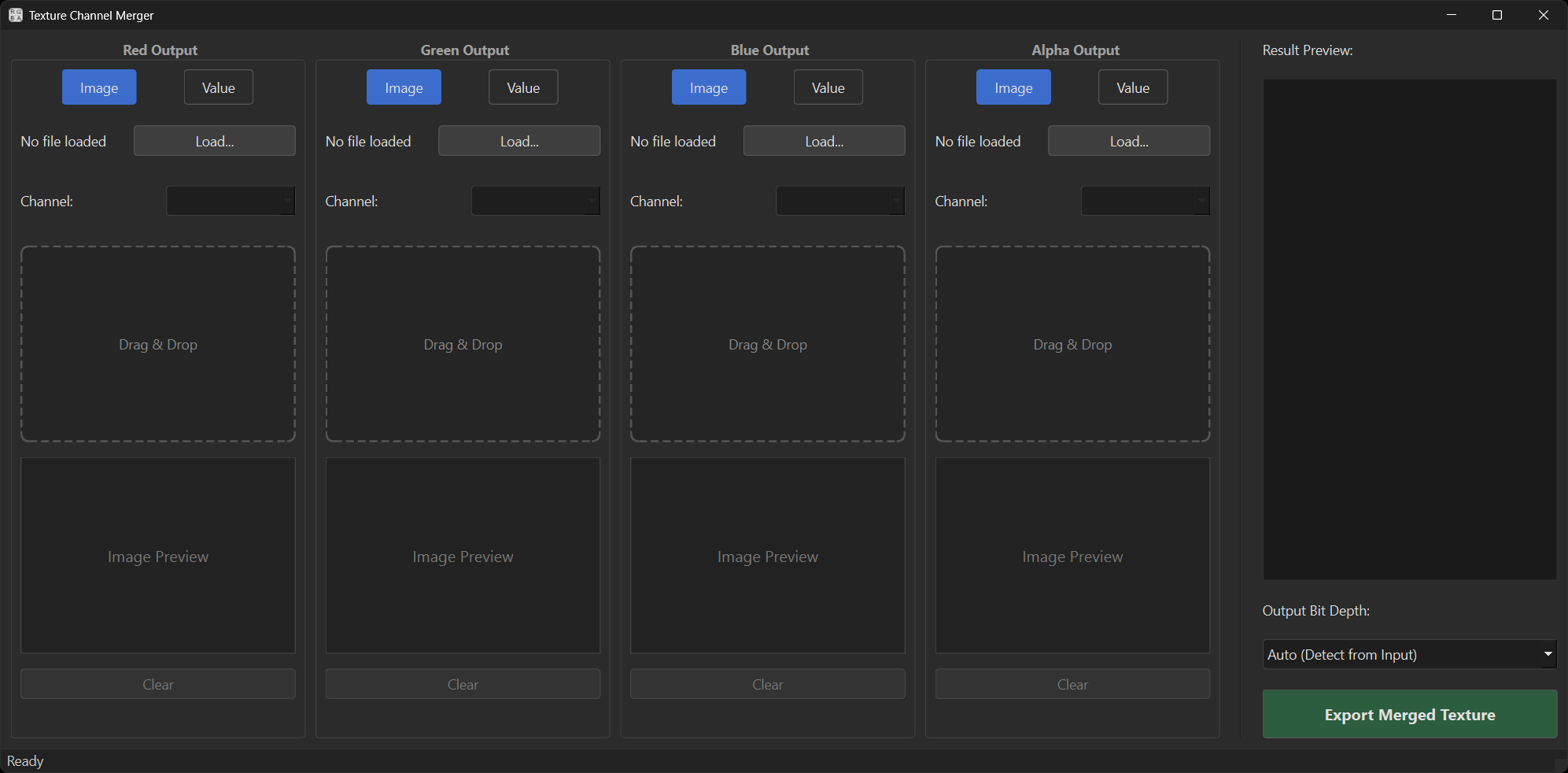
Figure: Screenshot of the main Channel Merger interface
¶ Usage
- Open Channel Merger
- Click 'load' or drag and drop and image onto the dropzone of your choice.
- If an RGB image is used it will auto populate the RGB channels using the image.
- Add any other images you wish to use or switch to 'Value' to use a fixed value for a channel.
- Select the input channel you wish to use as the source for each output channel (it will auto select Red, Green or Blue for each channel in order, or grey if you imported a true greyscale image).
- Click 'Export Merged Texture'
- Choose a format from the save dropdown. Formats allowed will be determined by the bit depth, for example 32-bit only supports EXR, TIFF and HDR).
- Hit save. A noise will play and the status bar at the bottom with indicate that saving has completed.
¶ Download
If you'd like to try it out you can grab it from the Github repo:
You can either clone the repo to build/run from source or you can head to releases to grab the latest release.